This problem can occur for two reasons:
A company could not be found for the document during import.
A raw data error (for example wrong invoice date format) occurred for the document.
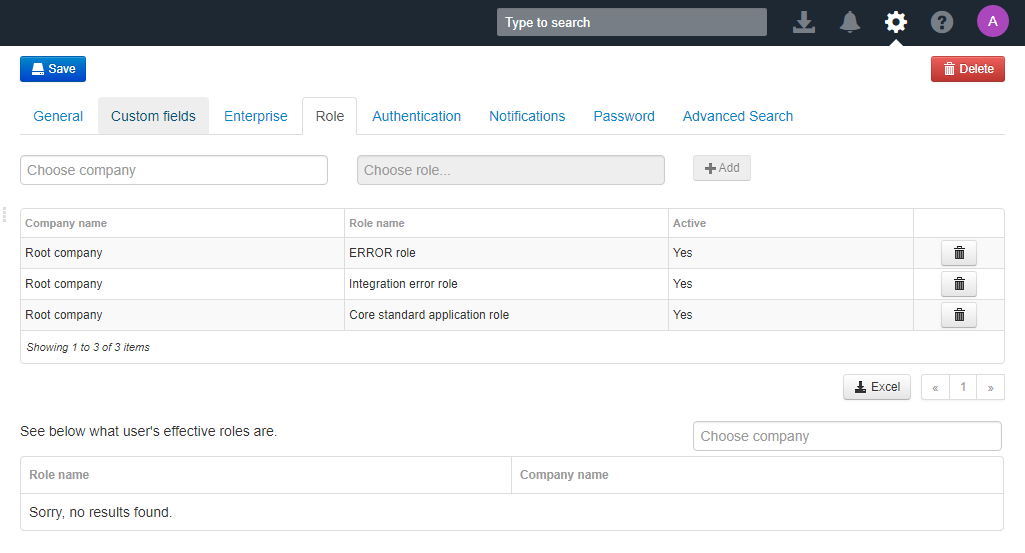
To see these documents, user must have the following roles assigned on Root company level:
Core standard application role
Integration error role
Error role
Note that to add roles on this level you need to have the Admin role or the User admin role assigned to your user account on Root company level.
For more information about roles, see Role.
Was this article helpful?
That’s Great!
Thank you for your feedback
Sorry! We couldn't be helpful
Thank you for your feedback
Feedback sent
We appreciate your effort and will try to fix the article