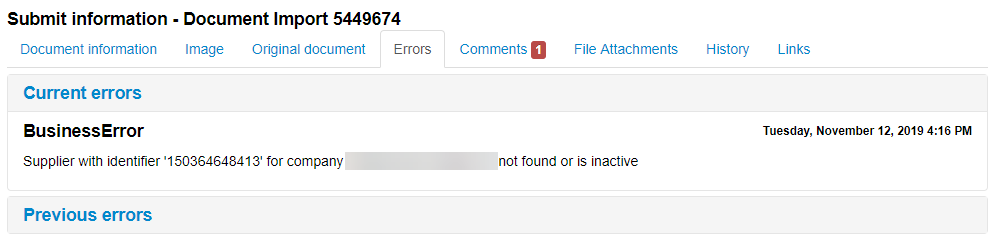
The supplier identifier specified in the invoice might not be configured on the supplier.
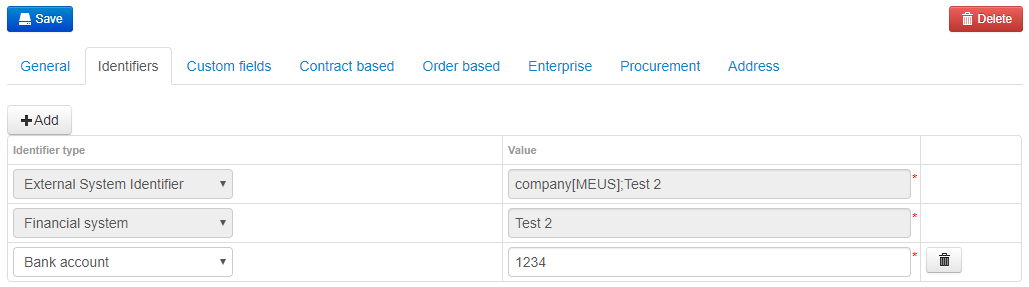
To add the identifier:
Navigate to Administration > Supplier.
Select the supplier. You can use the different columns to sort the list of suppliers.
Click the Identifiers tab.
Click the Add button.
Choose a Identifier type and specify a value.
Click Save to save your changes.
To read more about supplier identifiers, see Supplier Identifiers.
Why do I have invoices with unknown company in Document Import?

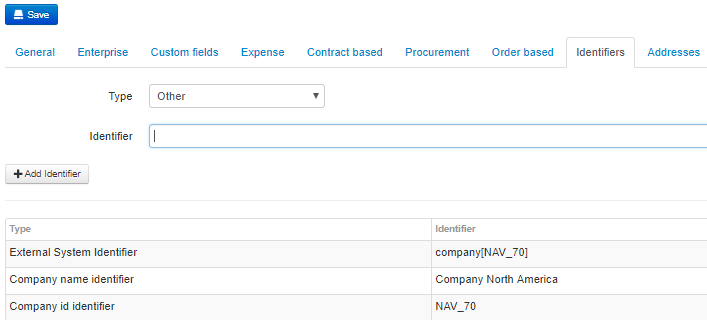
The company identifier specified on the invoice may not have been added to the Identifiers list for the company.
To add additional identifiers:
Navigate to Administration > Company.
Select the company.
Select Identifiers tab.
Choose identifier type and specify a value.
Click Add Identifier to add the identifier to the list.
Click Save to save your changes.
For more information about company identifiers, see Company Identifiers.
Was this article helpful?
That’s Great!
Thank you for your feedback
Sorry! We couldn't be helpful
Thank you for your feedback
Feedback sent
We appreciate your effort and will try to fix the article