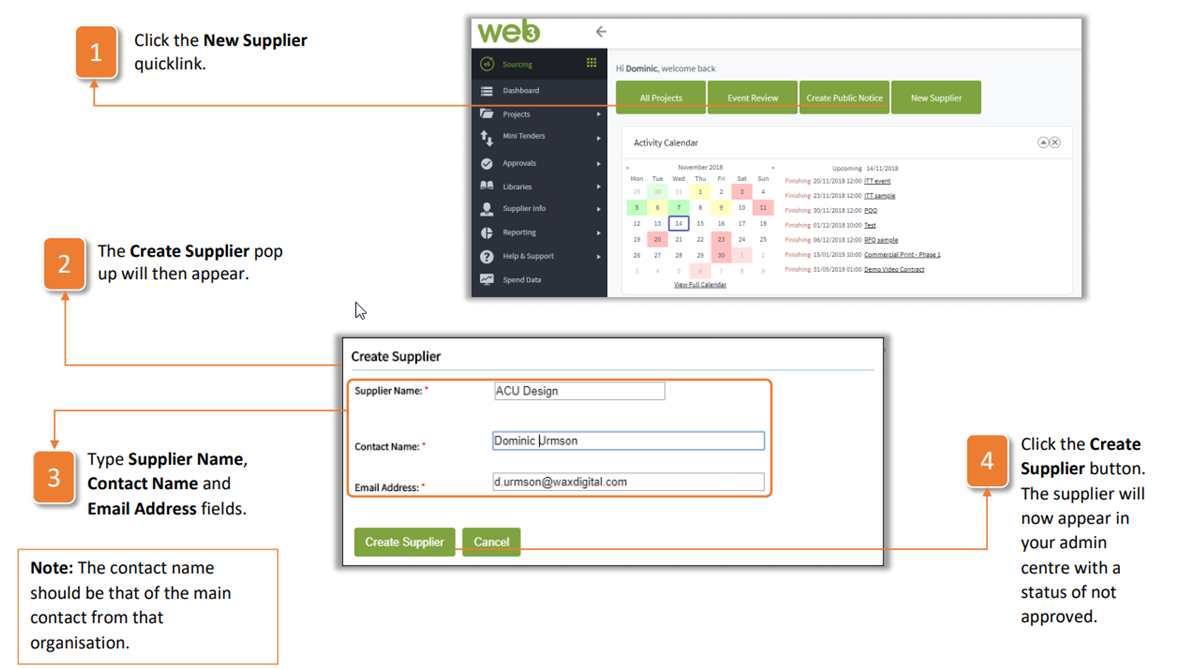
- Click the New Supplier quicklink.
- The Create Supplier pop up will then appear.
- Type Supplier Name, Contact Name and Email Address fields.
- Click the Create Supplier button. The supplier will now appear in your admin centre with a status of not approved.
| Note: The contact name should be that of the main contact from that organisation. |
Was this article helpful?
That’s Great!
Thank you for your feedback
Sorry! We couldn't be helpful
Thank you for your feedback
Feedback sent
We appreciate your effort and will try to fix the article