| Note: Clicking the link on the email notification, it will open up the document that requires your signature. |
- Go to the page where the signature is required.
- Click the Sign button.
Note: Clicking the Sign button will open a pop-up box for you to adopt your signature. 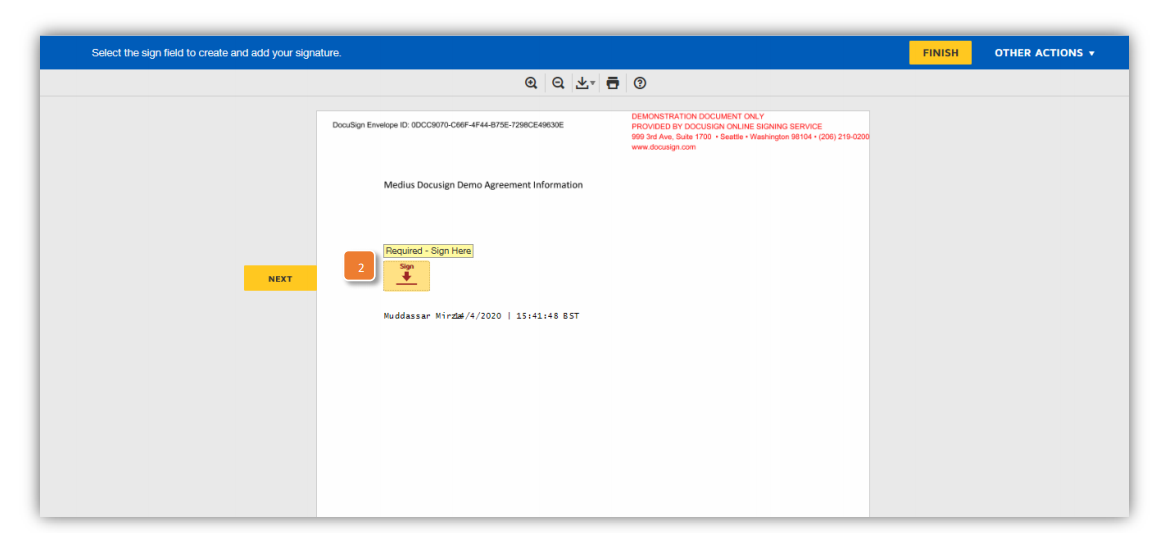
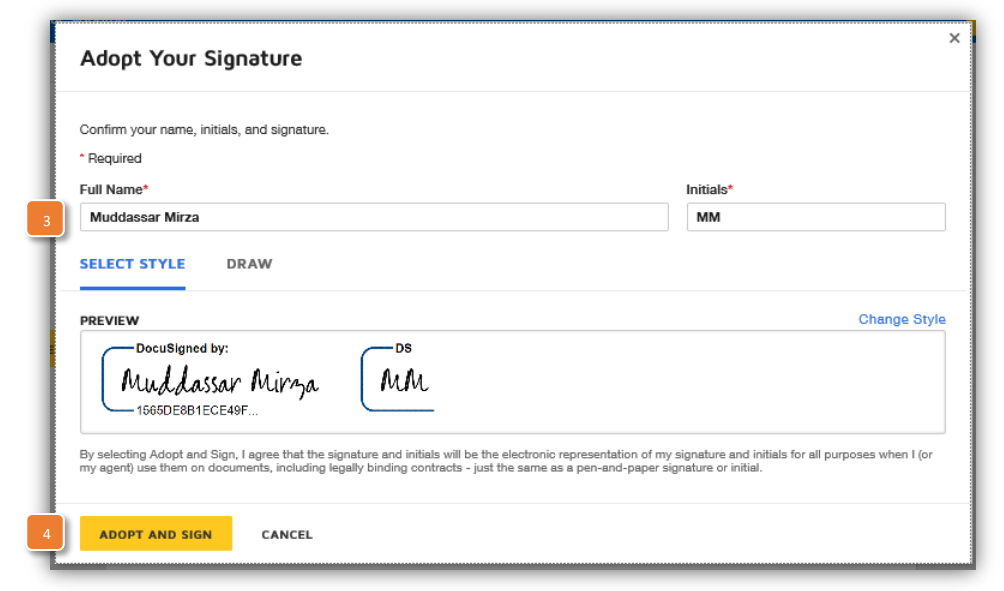
- Enter the following information:
a) Full Name
b. Initials
c. Signature - Click the Adopt and Sign button. Clicking the Adopt and Sign button will bring you back to the original document.
- Click the Finish button.
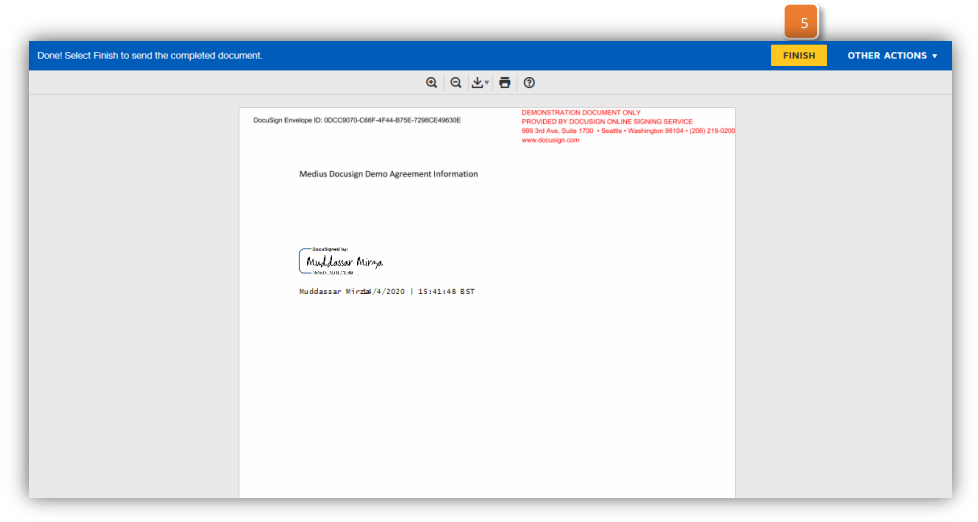
Note: Clicking the Finish button will open a pop-up with the message below, you can now close the window.
Was this article helpful?
That’s Great!
Thank you for your feedback
Sorry! We couldn't be helpful
Thank you for your feedback
Feedback sent
We appreciate your effort and will try to fix the article