Newer versions of INVOICES offer service logs which you can find in the Manager module. These logs are useful to get an overview of the system - e.g. which services are currently running which specific job, and if previously run jobs succeeded or had problems.
Open the Manager module.
Select Administration > Services > Service log.
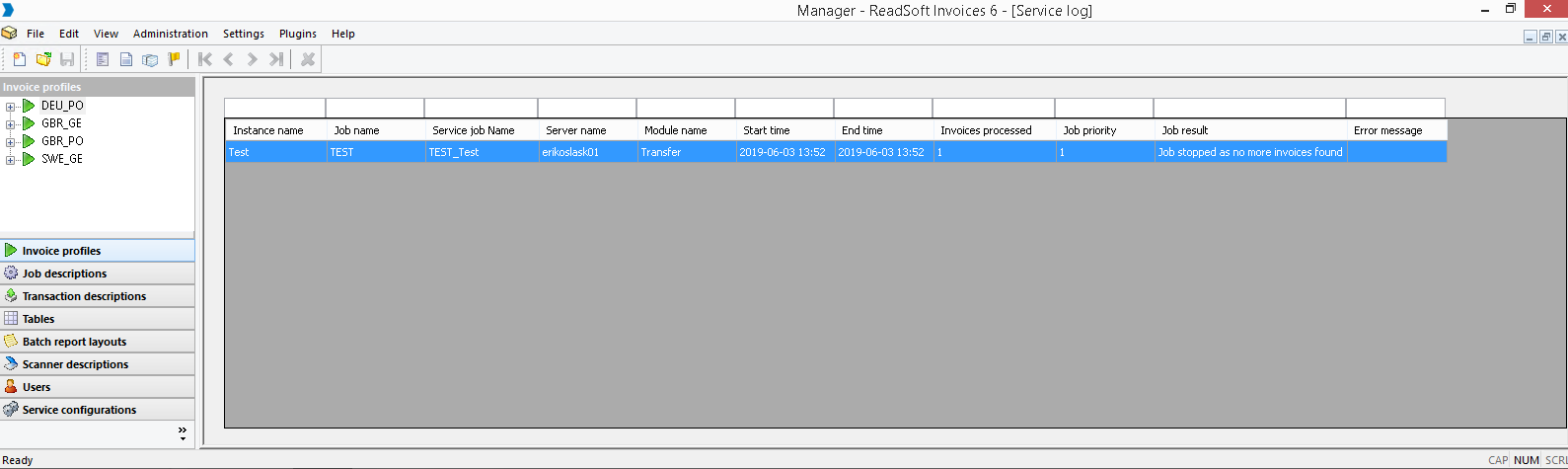
Use the columns to filter the service log by typing in keywords in the box over the column name. Press the column name to sort the service logs according to the column.
Analyze the Job result and Error message fields for rows where problems have been found for the particular module and job.
Note that in the Error messages column, error messages that are logged in the EHLog log files are shown for the specific job.
Common errors include:
a job that has been stopped because of a crash or a timeout (jobs like this have an empty End time column).
Was this article helpful?
That’s Great!
Thank you for your feedback
Sorry! We couldn't be helpful
Thank you for your feedback
Feedback sent
We appreciate your effort and will try to fix the article