One reason for an order import to fail is that it did not pass the internal validation in MediusFlow. This can happen, for example, because the supplier referenced in the particular order did not exist in MediusFlow at the time of the import. After the specific supplier has been imported, you can reprocess the purchase order import data to create the purchase order in MediusFlow.
Note that orders can fail for other reasons, but the steps to reprocess order data will be the same as below.
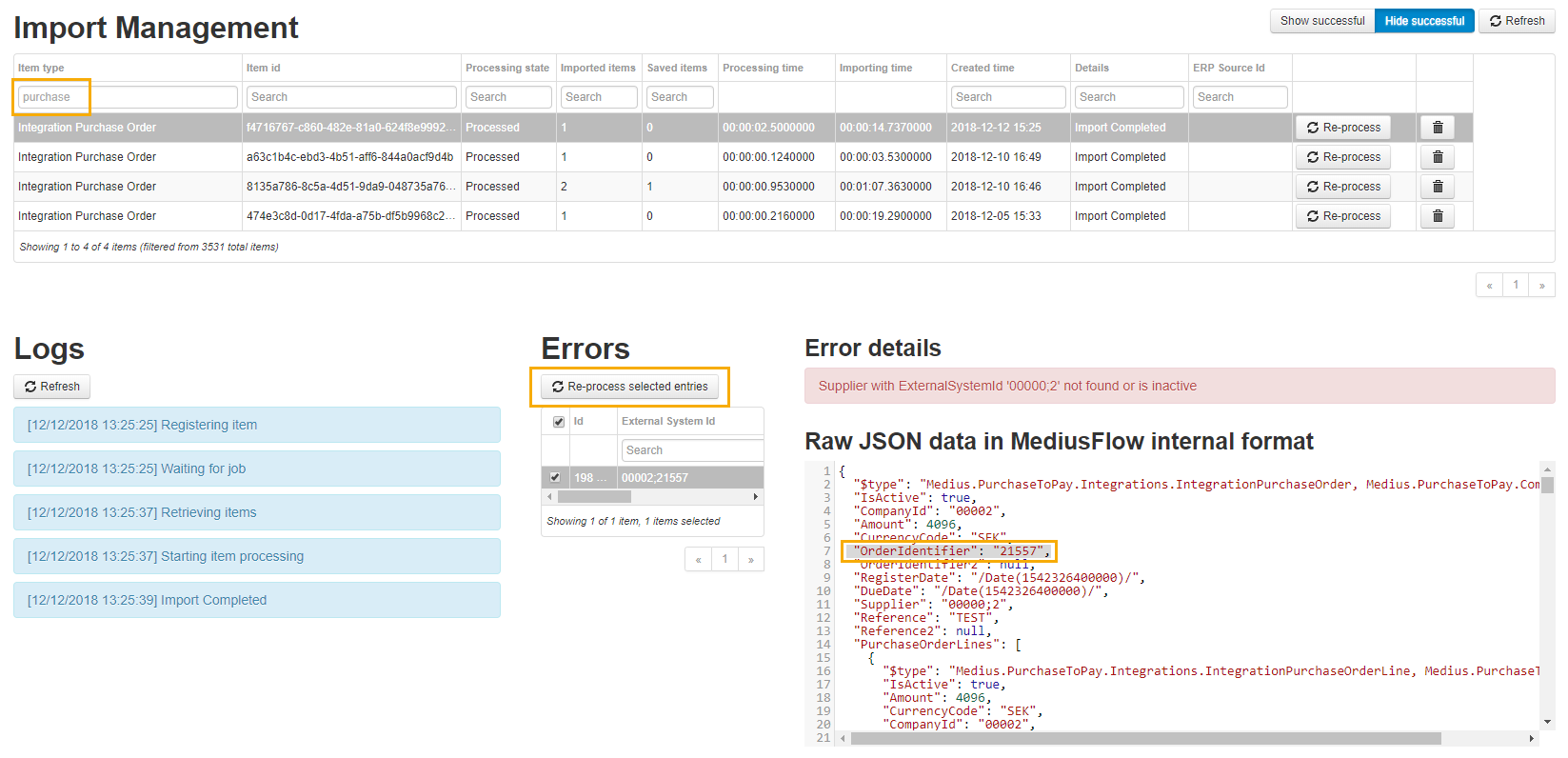
Locate the failed purchase order import entry in Administration > Import Management.
Filter on purchase orders by using the Item type column and click the Hide successful button to only display failed purchase order import jobs.
Click a job that would correspond to the date and time of the import. Note that there is a list of failed purchase orders in the middle, at the bottom of the screen.
Click one of the lines to see the purchase order data to the right.
Here, you can find the OrderIdentifier value which corresponds to the order number. You will also see the error message above the purchase order data under Error details.
To reprocess a specific order, check the checkbox next to the selected line and click Re-process selected entries.
To reprocess all orders in one import job, click the Re-process button next to the job in the Import Management list.
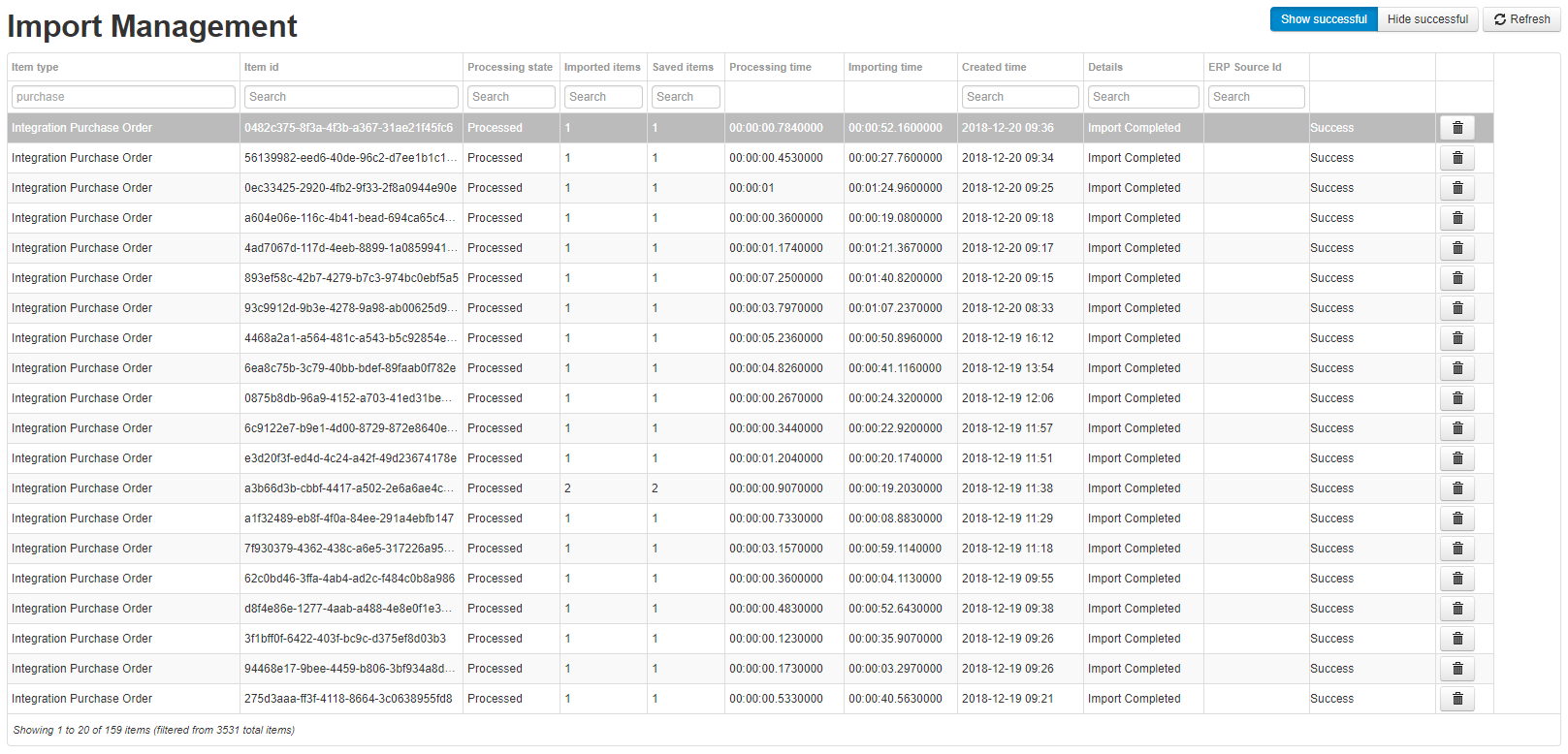
Click the Show successful button to see that a new purchase order import batch is scheduled for processing on the Import Management list of jobs.
Click the Refresh button to keep the list updated. The newly created purchase order import job should have a Success status when the import is finished. Note that you cannot see which orders were processed in a successful import job, but you can find the new import job by looking at the timestamp.
For more information about Import Management, see Import Management.
Was this article helpful?
That’s Great!
Thank you for your feedback
Sorry! We couldn't be helpful
Thank you for your feedback
Feedback sent
We appreciate your effort and will try to fix the article