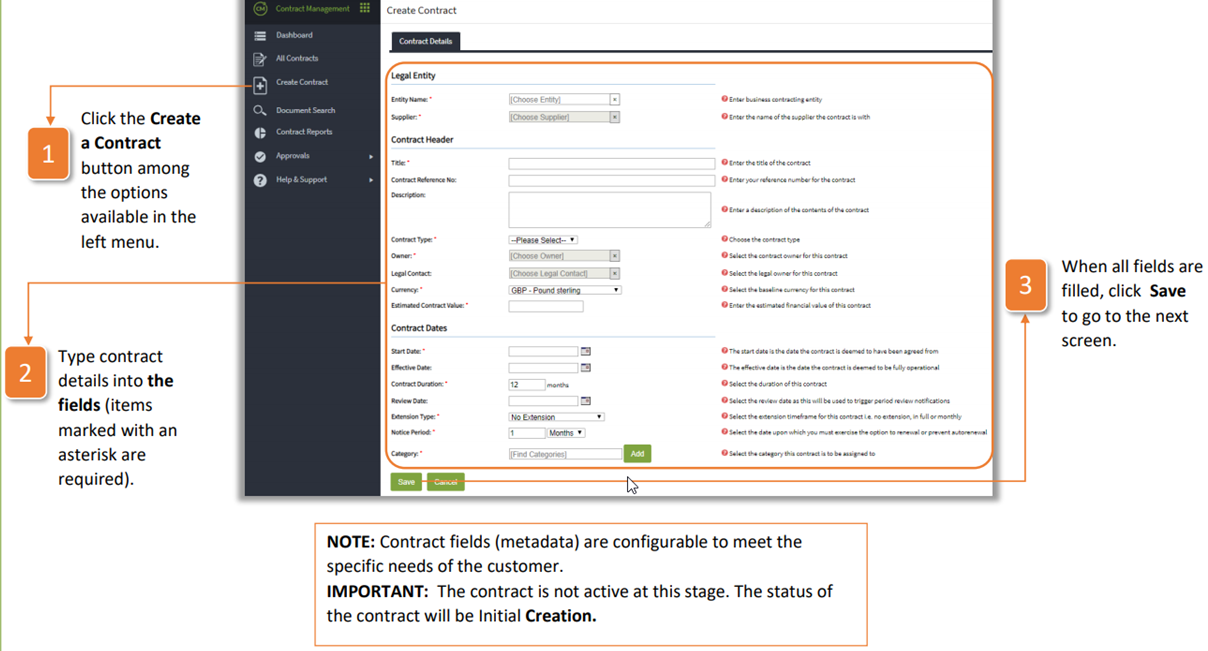
- Click the Create a Contract button among the options available in the left menu.
- Type contract details into the fields (items marked with an asterisk are required).
- When all fields are filled, click Save to go to the next screen.
| NOTE: Contract fields (metadata) are configurable to meet the specific needs of the customer. IMPORTANT: The contract is not active at this stage. The status of the contract will be Initial Creation. |
Was this article helpful?
That’s Great!
Thank you for your feedback
Sorry! We couldn't be helpful
Thank you for your feedback
Feedback sent
We appreciate your effort and will try to fix the article