The Contract Alerts tab is one of the key features of the Contract Management module. It allows you to create and manage automated contract warnings and reminders to ensure effective contract management and minimize risk.
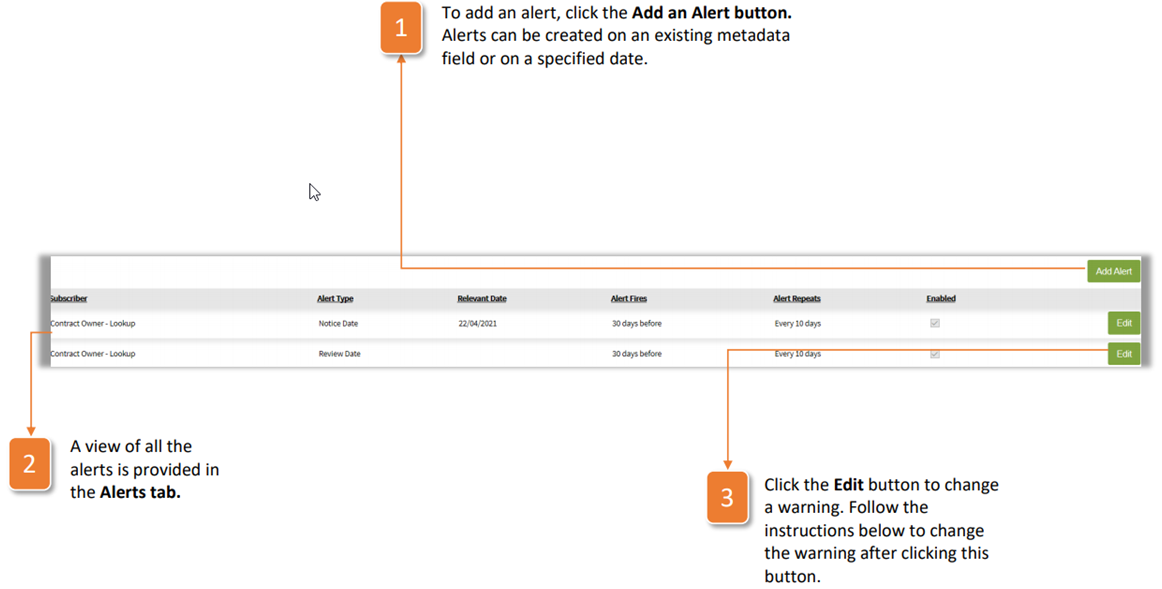
- To add an alert, click the Add an Alert button. Alerts can be created on an existing metadata field or on a specified date.
- A view of all the alerts is provided in the Alerts tab.
- Click the Edit button to change a warning. Follow the instructions below to change the warning after clicking this button.
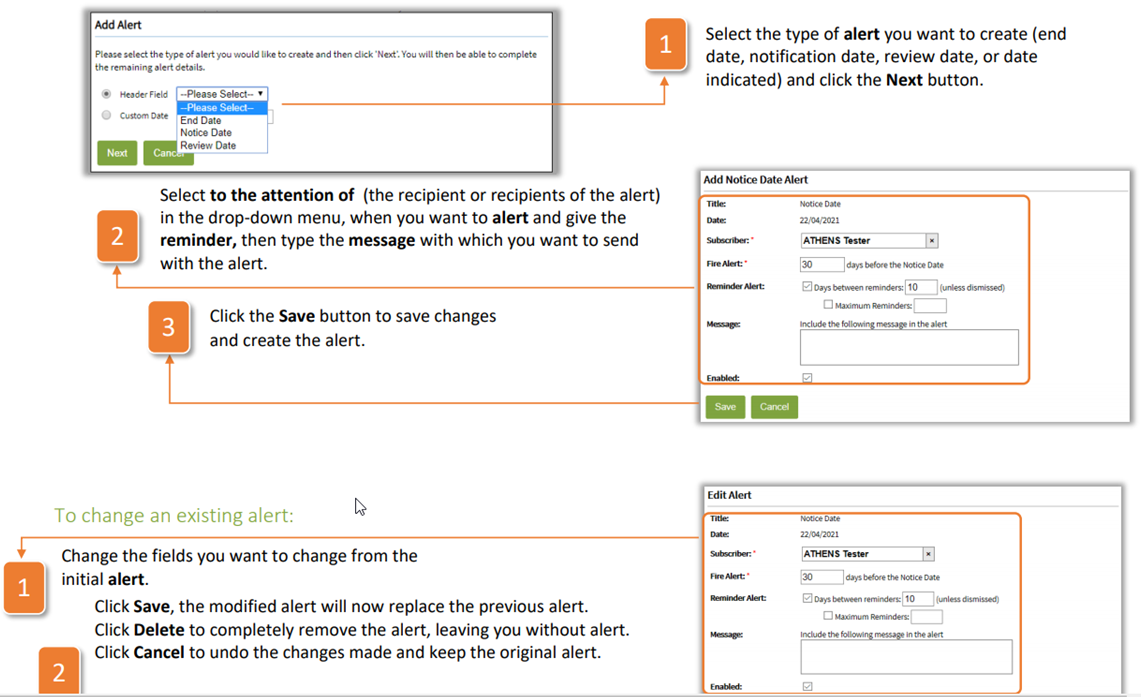
- Select the type of alert you want to create (end date, notification date, review date, or date indicated) and click the Next button.
- Select to the attention of (the recipient or recipients of the alert) in the drop-down menu, when you want to alert and give the reminder, then type the message with which you want to send with the alert.
- Click the Save button to save changes and create the alert.
To change an existing alert:
- Change the fields you want to change from the initial alert.
- Click Save, the modified alert will now replace the previous alert. Click Delete to completely remove the alert, leaving you without alert. Click Cancel to undo the changes made and keep the original alert.
Was this article helpful?
That’s Great!
Thank you for your feedback
Sorry! We couldn't be helpful
Thank you for your feedback
Feedback sent
We appreciate your effort and will try to fix the article